
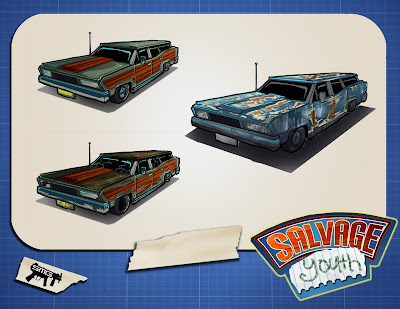
Like what, you ask? Well, we've got a logo now. Makes things all official and stuff.

We've already used it in some branded artwork hanging on the projects boards here at school - great looking stuff Beau put together.
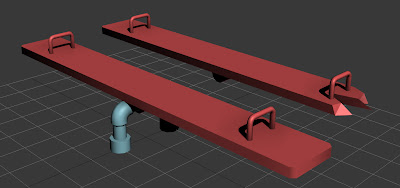
Alexi has been hard at work as always, modelling up a storm. We've got a few more gameplay props being pushed through the pipeline.

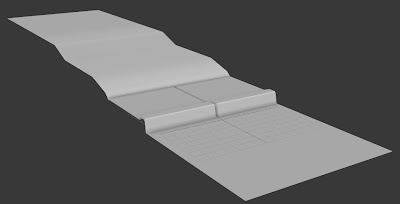
We also did a lot of work this week standardizing sizes and shapes for our tiled terrain system - the basic unit is complete, with a rough texture pass done for it. I already tested replacing one of the sidewalk tiles for another shape, the banked sidewalk that allows driveway access, and things worked perfectly.

I actually had time to do some texture work this week, too. I love getting to polypaint, it reminds me a lot of painting miniatures and traditional models, something I almost never get to do any more.

I also spent more time playing with particles, getting the water spraying out of the hydrant looking more realistic. I also got to do a little animation - the hydrant now rumbles and flaps as the water shoots out of it, and when you fix it, the lid floats up and slams itself down on top.

If you look closely, you'll notice another new feature we've got working in the game - real-time shadow-casting. We need to spend time dialing in the lighting, and right now it severely slows down our framerate (we're still averaging around 80fps, though), but that's an optimization issue - every item in our game is casting real-time shadows. In later builds, once we get the layouts more established, any static object (items that don't move around) will get shadows baked in, so that we don't have to render their shadows every frame. It'll save us a TON of computing power.
We've got some other new features working, too - we have patrolling enemies (the robots above, although the art used for them is placeholder art for the time being) with incredibly intuitive tools for setting their waypoints, thanks to Ryan. We also found a great plugin for Unity called iTween, a free system that allows us to animate or constrain objects and characters along splines and bezier curves. This lets us actually move objects along complex curve systems and control speed, direction, all sorts of things, in a perfectly predictable manner. The tool is pretty robust, and it's already found its way into our main menu system and some of our puzzles. It'll also allow us to move the kids between lanes much more naturally as well as make their lanes curve from side to side around objects, rather then the perfectly straight lines they were previously. Good stuff.

Alexi's been working on getting the first car up and ready for texture/sculpting, which is great - this is one of the props with a lot of character we've all been looking forward to seeing come together.

He's also got a great little mattress all finished, ready for texture and sculpt. Meanwhile, Zach's been hard at work getting our fast kid, Dustin, ready for putting in-game.
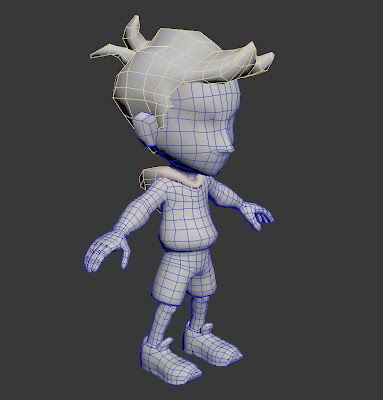

At this point, Zach is switching gears - instead of getting the zbrush sculpt done, we're going to get the Stu character concepted and put him in some drawings with Jenny and Dustin, making sure that we are thinking about the color schemes and designs of all three kids at once, rather then waiting until the end to do him. Zach has been rock-steady reliable for his contributions since the start, so this change-up shouldn't effect our estimated progress at all.
We're really moving along, getting tons of stuff in-engine and in front of testers, and it's really going great. We are all still excited and motivated about the project, but we all know we still have a long, long way to go. Hopefully we can keep our enthusiasm up through the rest of the year, but with a project this fun, it shouldn't be too much of a challenge.
See you next week!


